
To generate a list of leads for past 1 week (or any time range), follow the steps below:
1. In the Leads data table, select the down arrow from the column “Enquiry Date”.
2. Enter the date range from when you want the report to be generated.
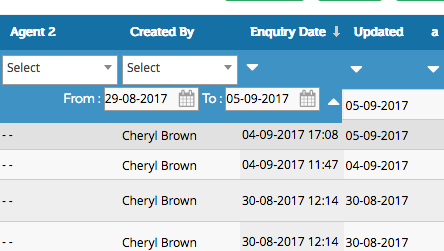
3. As per the date filter the Leads would be displayed and further you can select all the filtered Leads and Download to Excel Sheet.
Next: Steps to enable Google Authenticator for Excel Export Enable 2-Step Authenticator