
You will need to follow the below steps to register to SendGrid.
a) Open the URL: https://sendgrid.com/ . You may click on try for free to register and enter the company details to create the account
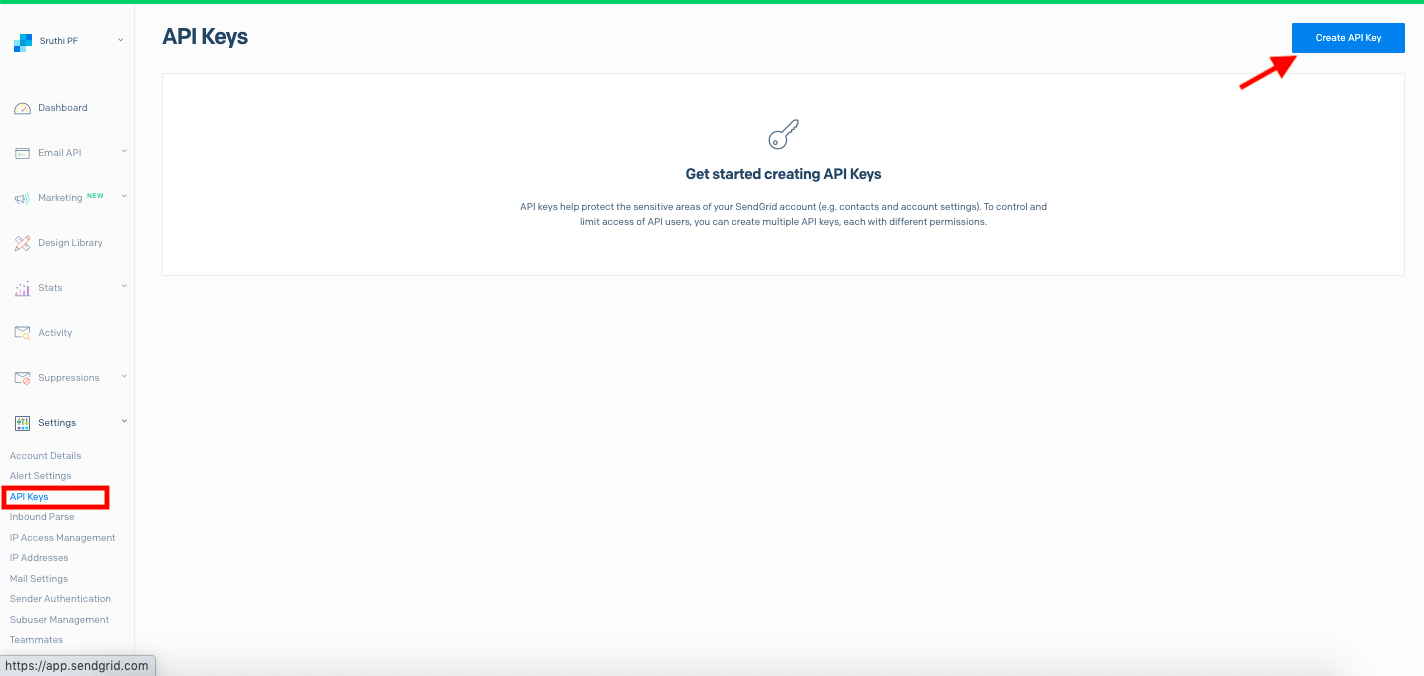
b)on sendgrid -> Under API Settings, click on create new API Key from Sendgrid.
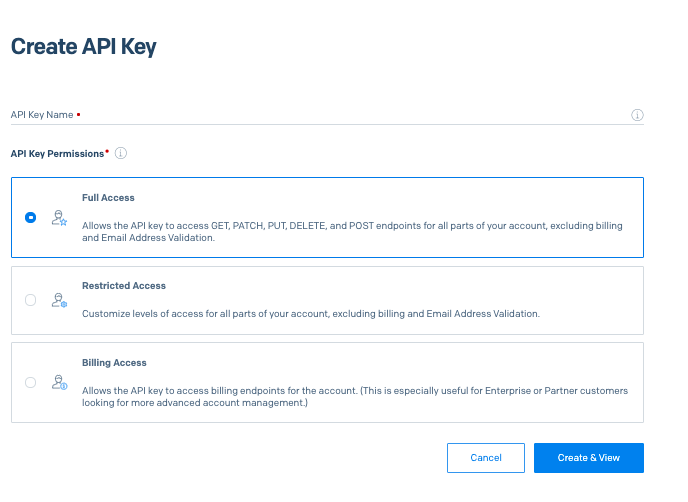
c. enter the API name of your choice and click Create and View as shown below:
c) Copy the API key created from Sendgrid and login to PropSpace and update the API key in PropSpace under Marketing section in the Profile screen and validate.
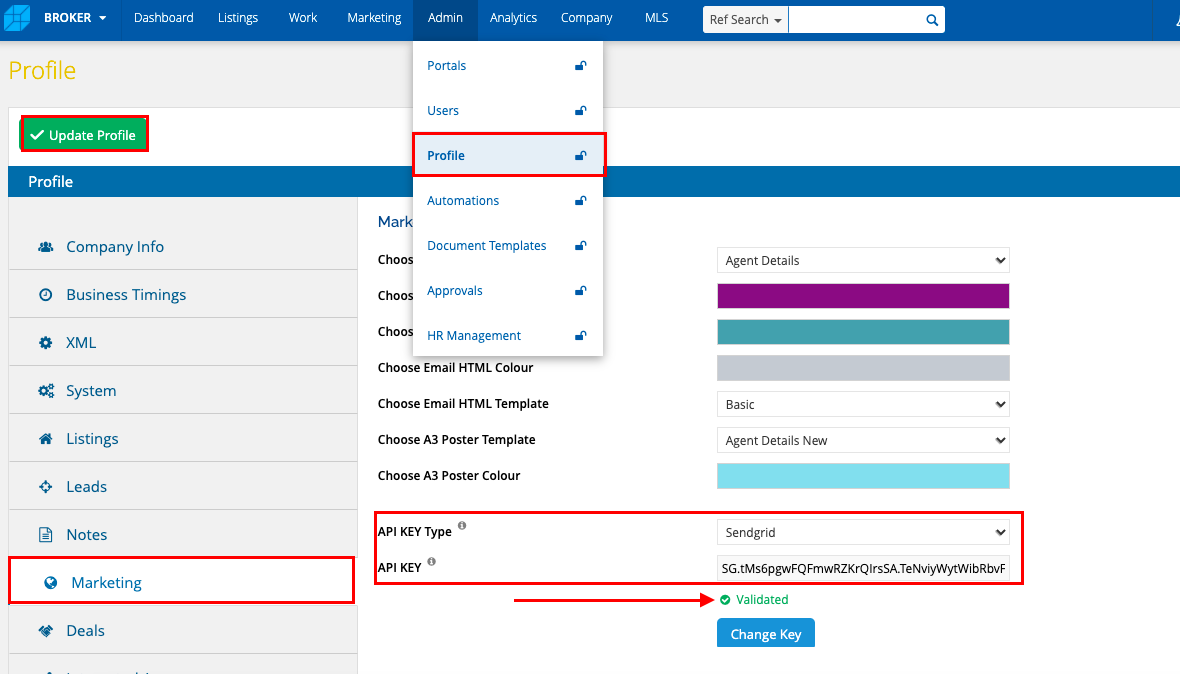
d. Once validated, update Profile.
For bulk email campaigns – you can refer to sendgrid pricing here – https://sendgrid.com/pricing