How can I view my upcoming reminders?

PropSpace allows to you set multiple reminders. You can set reminders on the Listing Screen for a listing availability, on a Lead Screen to follow up with the Leads or on a Deal Screen for an upcoming deal renewal. To view every reminder we may have to go to every screen, which would be time consuming.
PropSpace has made this easier, to quickly view all of your events or reminders you can go to Sticky Notes, which would be displayed on every page on PropSpace.
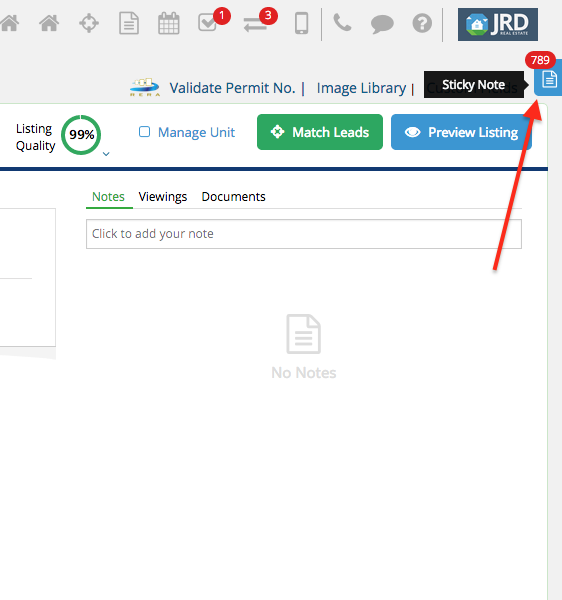
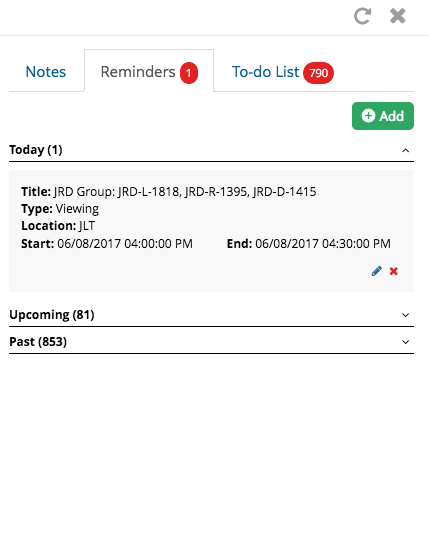
As you select the blue icon for Sticky notes, select Reminders tab, and here you would be able to see the Reminder set for today and the Upcoming and Past Reminders. Also by clicking on “Add” you can set a new reminder.
Recently viewed articles
Related articles
No Related Articles Found.