I have recently signed up on PropSpace, how will I be able to create the users?

Thank you for signing up with us. To create a new user you can directly go to Admin—> Users Screen.
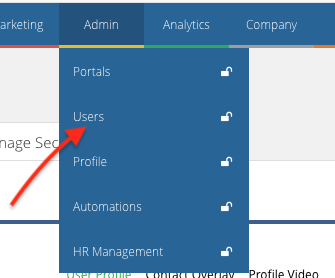
Click on New User, provide a UserName, set a password, from User Type select if the user is an Agent, Admin or Manager.
From Contact Details, you can provide the contact information of the user. And from Settings you can provide accessibility settings for the user.
Once all the required information is added, click on Save user and a new user will then be created.
Recently viewed articles
No Recently viewed Articles Found.
Related articles
No Related Articles Found.