Agent Verification

Who can use this feature?

Getting verified brings additional exposure, visibility, and credibility. Clients prefer to work with agents who are verified by Property Finder.
Update your profile to reflect your correct and professional experience, and get verified. By getting verified, you can expect to,
 Get more exposure by getting additional boost in search results.
- Become eligible for SuperAgent
- Appear as a verified agent on Find Agent page on Property Finder website
What is covered?
- Who's Eligible for Verification?
- How to verify your Agent profile?
- What tips can help achieve verification on the first submission?
- Frequently Asked Questions
Who's Eligible for Verification?
Any GP Expert user who intends to publish a listing and receive leads, can get verified as long as you are able to provide the following documents:
| Emirate | Requirements |
|---|---|
| Dubai | RERA Broker Card or BRN
(Showing the Company’s Name) |
| Other Emirates | Labour Card or Employment Visa
(Showing the Company’s Name) |
How to verify your Agent profile?
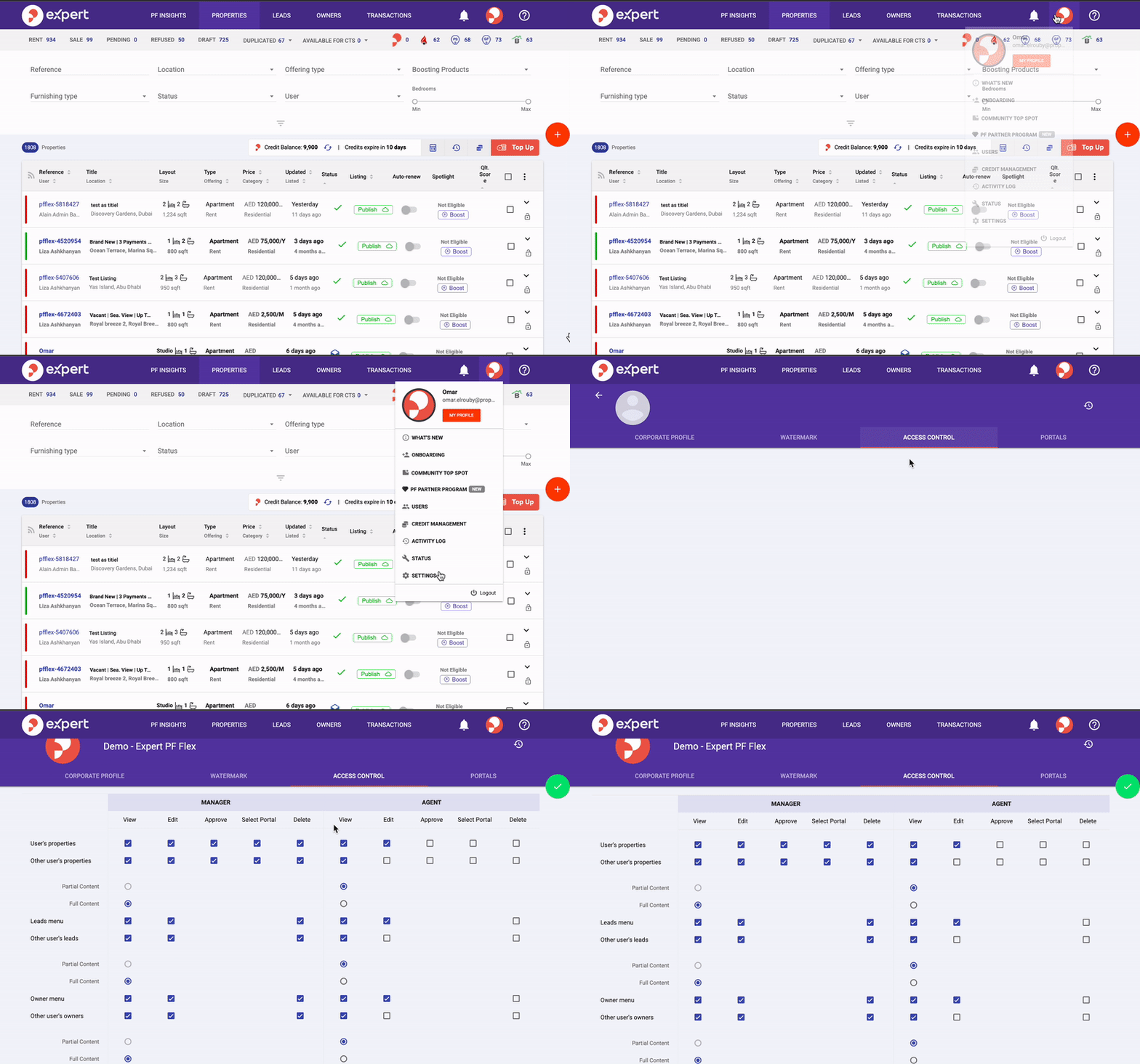
- In GP Expert, go to “My Profile”. (Admins go to “Users” and click on the Agent’s Name.)
- You will see your Profile Completion status in the “Public Profile” section.
- Once you complete all your information, and reach 50% completion status, click the “Verify Now” button.
- Add your Phone number and upload your document and Submit.
What tips can help achieve verification on the first submission?
When submitting your profile for verification, make sure you provide the correct documents required, along with providing the right details that reflect your actual professional experience as a real estate broker
- Your name in Property Finder should match your name on the document you provided.
- Provide the correct phone number. Our team will call you to verify your phone number.
- Professional photograph of yourself. Avoid uploading the company logo or monogram.
- Professional bio of yourself stating your personal experience as a real estate broker. Avoid providing a company bio or introduction.
Frequently Asked Questions
Make sure that the role for the user you are submitting is set to “Agent“.
The button will appear once you complete all the required information (reach 50% profile completion) in the Public Profile page:
Profile Photo.
Broker Card Number (BRN) or Trade License Number (for non-Dubai agents).
Experience Since.
Spoken Languages.
Nationality.
Description (Biography).
Position.
Your profile review time depends on your account’s segment as referred to below.
Agent verification does not expire, however, your profile will lose the verification status and you will need to resubmit the profile if you edit one of the core details below:
First Name or Last Name.
Public Number.
Public Email.
Profile Photo.
Broker Card Number (BRN) or Trade License Number (for non-Dubai agents).
Experience Since.
Spoken Languages.
Nationality.
Description (Biography).
Position.
You can edit your WhatsApp Phone Number without losing your Agent Verification.
Your Profile picture should be 520×400 pixels to be approved.
Ensure your picture is professional, showing your head and upper body with a plain background
Recently viewed articles
Related articles
No Related Articles Found.