
To set a reminder for your listing, do the following steps:
1. Select the relevant listing.
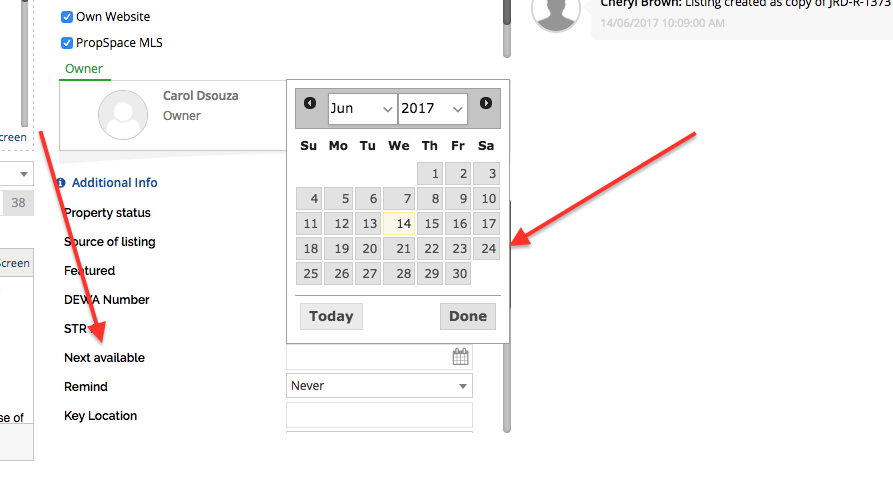
2. Click on Edit Listing, and set the “Next Available Date” under the Additional Info section.
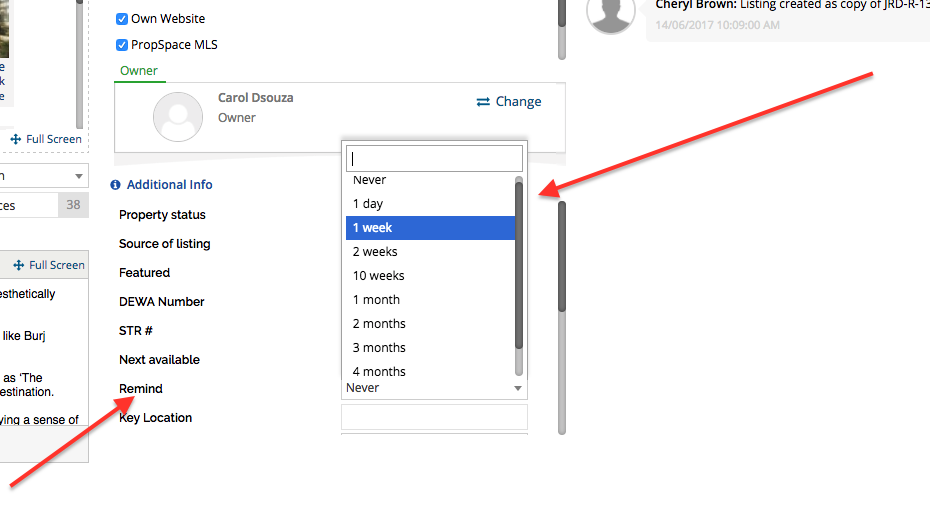
3. In the next field, you can set to a reminder prior to the Next Available Date from the dropdown presets.
4. Save the Listing. A reminder email will be sent to the Agent to whom the listing is assigned before the availability date.