Export Listings

What is covered?
How to Export your listings
To export your listings from GP Expert please follow the below steps:
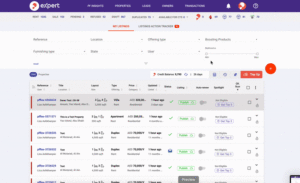
 Go to: GP Expert > Properties
 Select your listings.
 Click on the 3 dots and choose “Export Results”
 Once ready, you will find your file in your “Notifications”
Frequently Asked Questions
Frequently Asked Questions
This means that you have initiated the same export request within the last hour.
Please allow the first request to be completed before initiating another one.
The request time will depend on how many listings are being exported.
If you did not receive the notification after 24 hours, please contact GP Support to investigate
Recently viewed articles
Related articles
No Related Articles Found.