How to add a quick account for a lease?

You can easily add a quick account for your lease. This is a convenient way for you to manage your accounts.
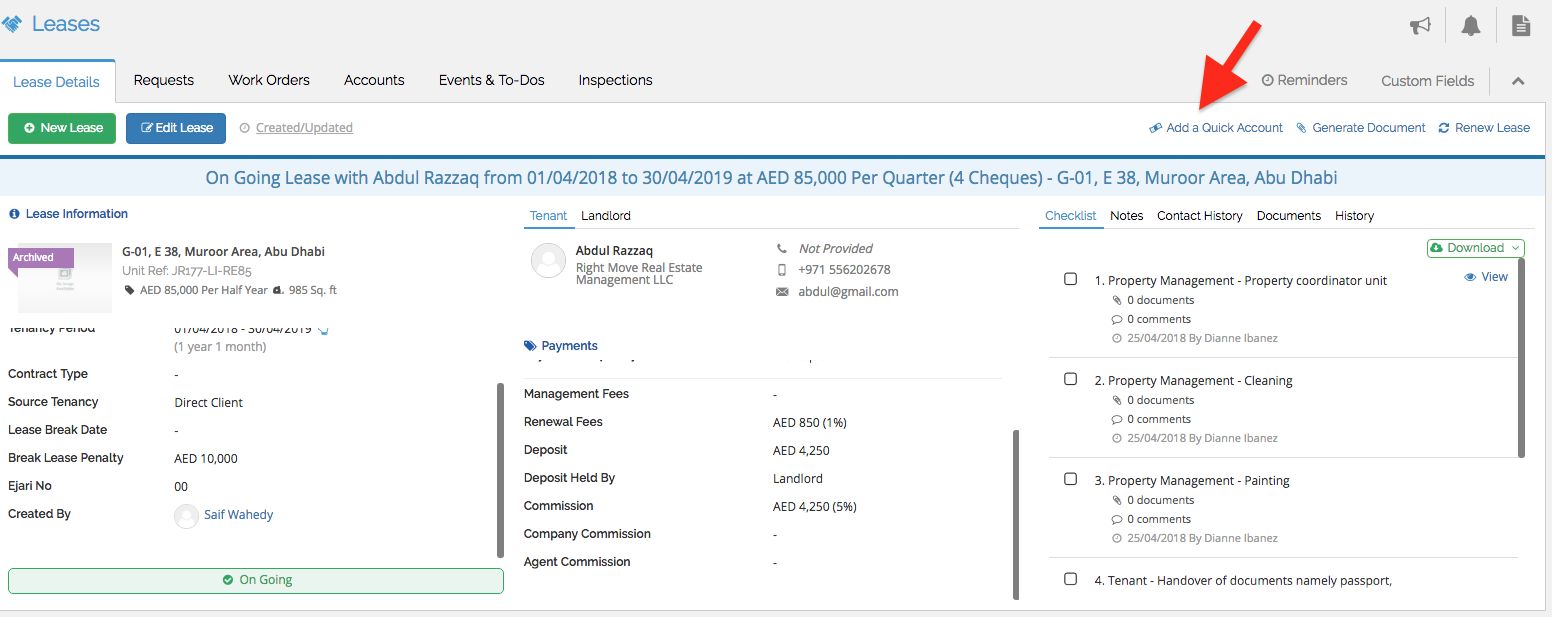
1. Click lease screen.
2. Click Add Quick Account.
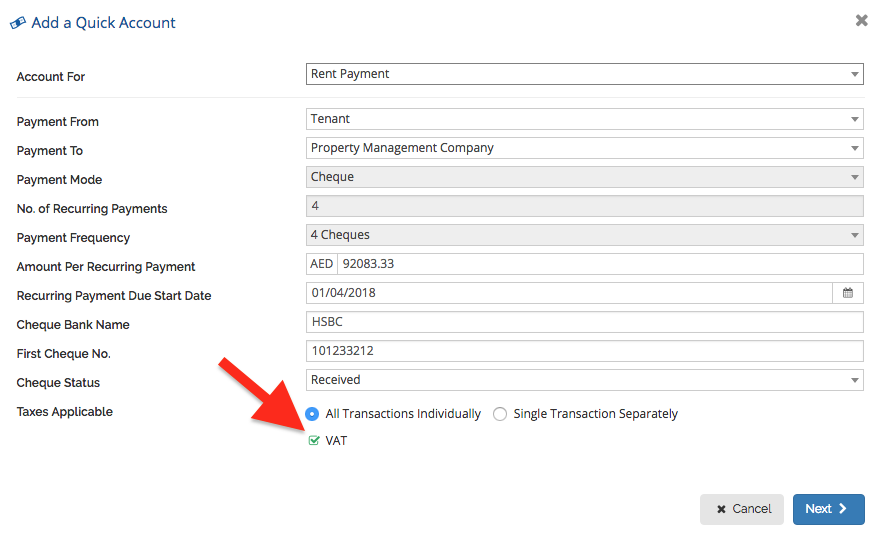
3. Complete all the information. Input the account for, Payment from, Payment To, Amount per recurring payment, Recurring payment due start date, Cheque Bank Name, First Cheque No., Cheque Status, Taxes Applicable and Vat. Payment Mode, No. of recurring payments and Payment Frequency are already filed by default.
For VAT, put a tick on the box.
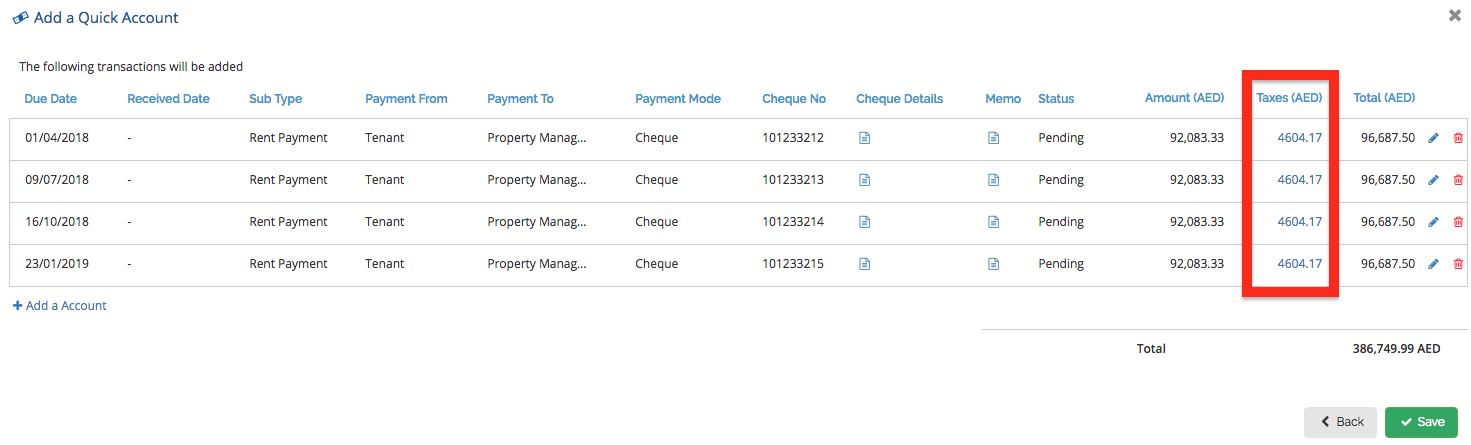
4. For taxes applicable, select all transactions individually if you want to have the taxes charged to each transaction.
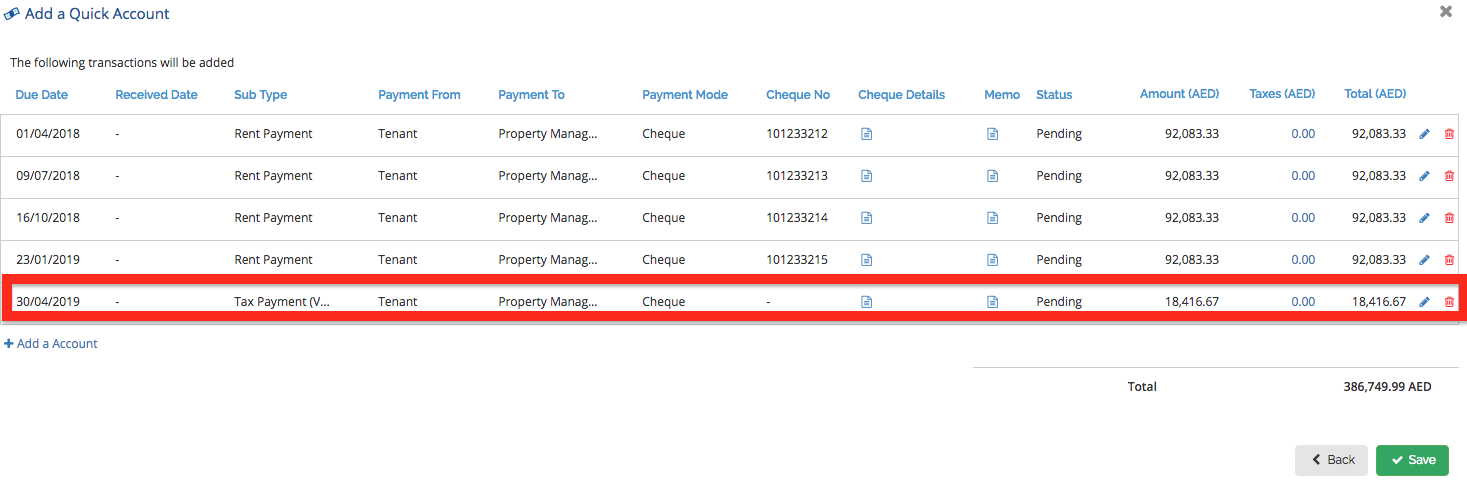
You can the select single transaction separately if you want to have the tax to be added as a single transaction.
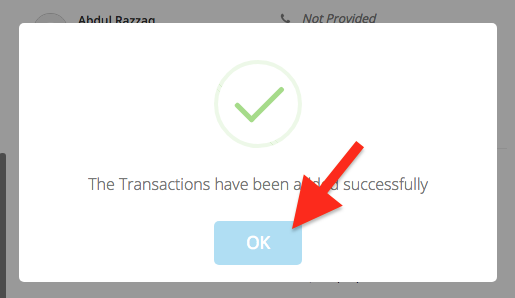
5. Click save. Then click Ok.
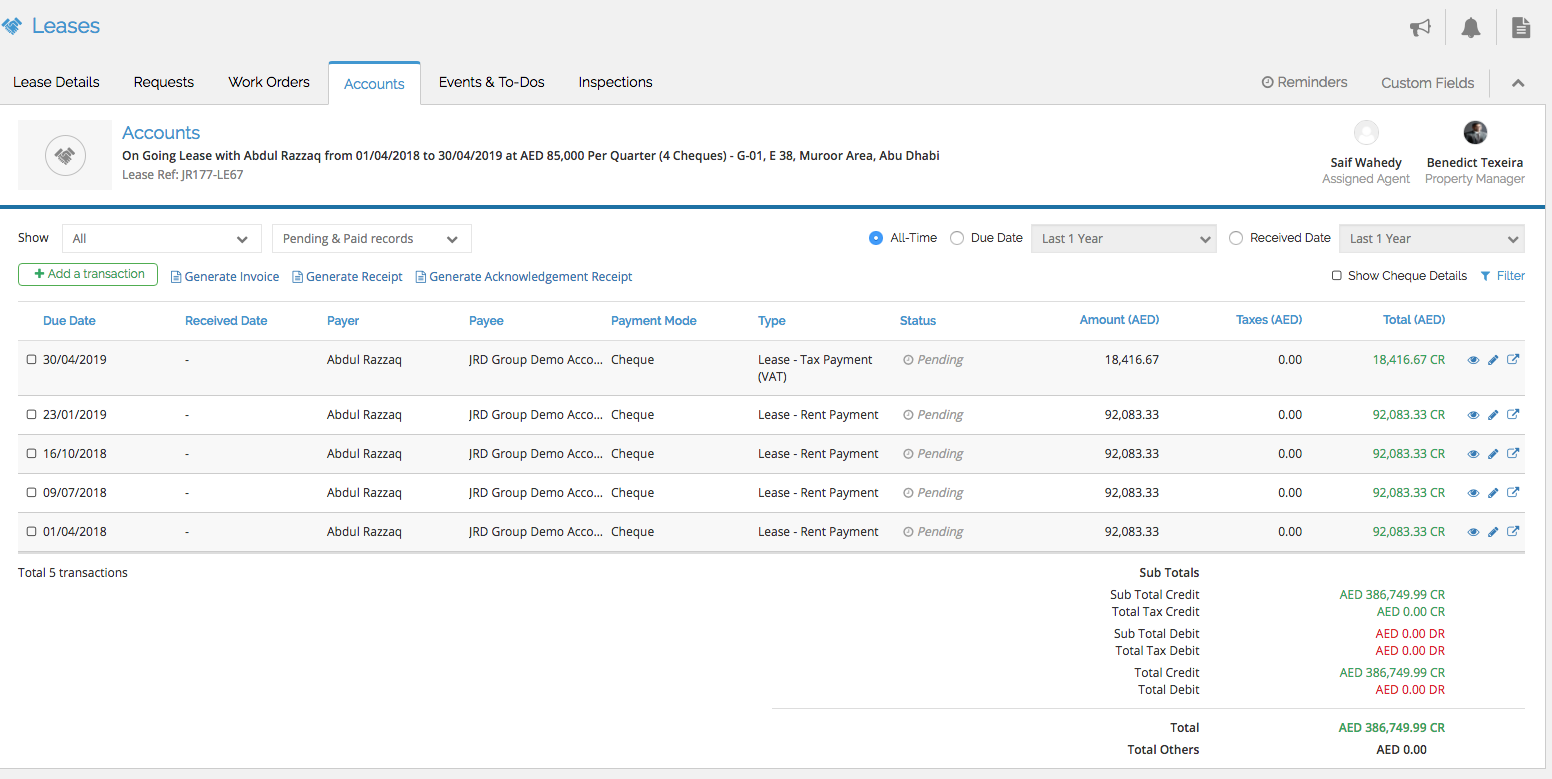
6. You can see your added quick account from the Accounts Tab. The attached is the example.
Recently viewed articles
Related articles
No Related Articles Found.