How to create a new Location Description?

1. Go to Listings Sales/Rentals
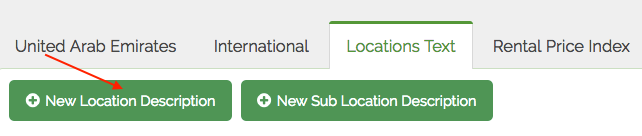
2. Click on the Locations Text Tab
3. Click on the New Location Description
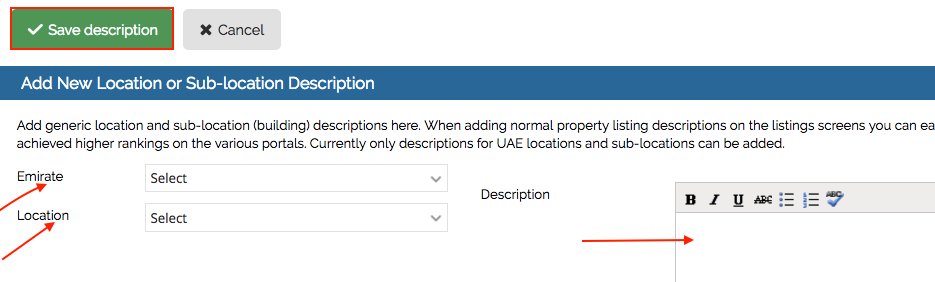
4. Select the required emirate from the drop down
5. Select the required location form the drop down
6. Add the required description
7. Save description
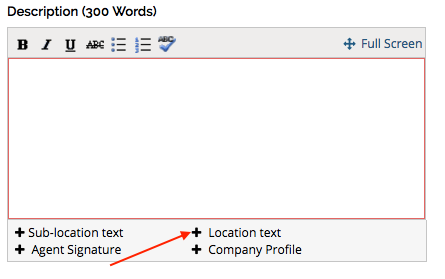
8. Once the new location description is saved the same can be used while creating a listing in the same location by clicking ‘+’ icon next to location text below description in the Listings screen
Recently viewed articles
Related articles
No Related Articles Found.