How to filter by Vacant Units?

There may be a scenario where the Landlord may ask the Property Manager to provide all the vacant units.
To filter the units with vacant status, kindly follow the steps below
1. Go to Properties—> Units, on the units data table click on the downward arrow under the column “Status”
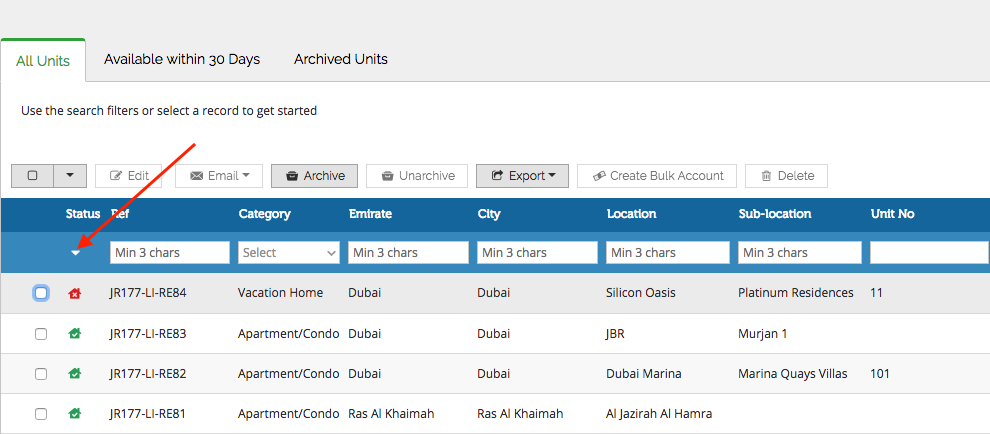
2. You now select the required status from the drop down and the units will be filtered accordingly

Recently viewed articles
No Recently viewed Articles Found.
Related articles
No Related Articles Found.