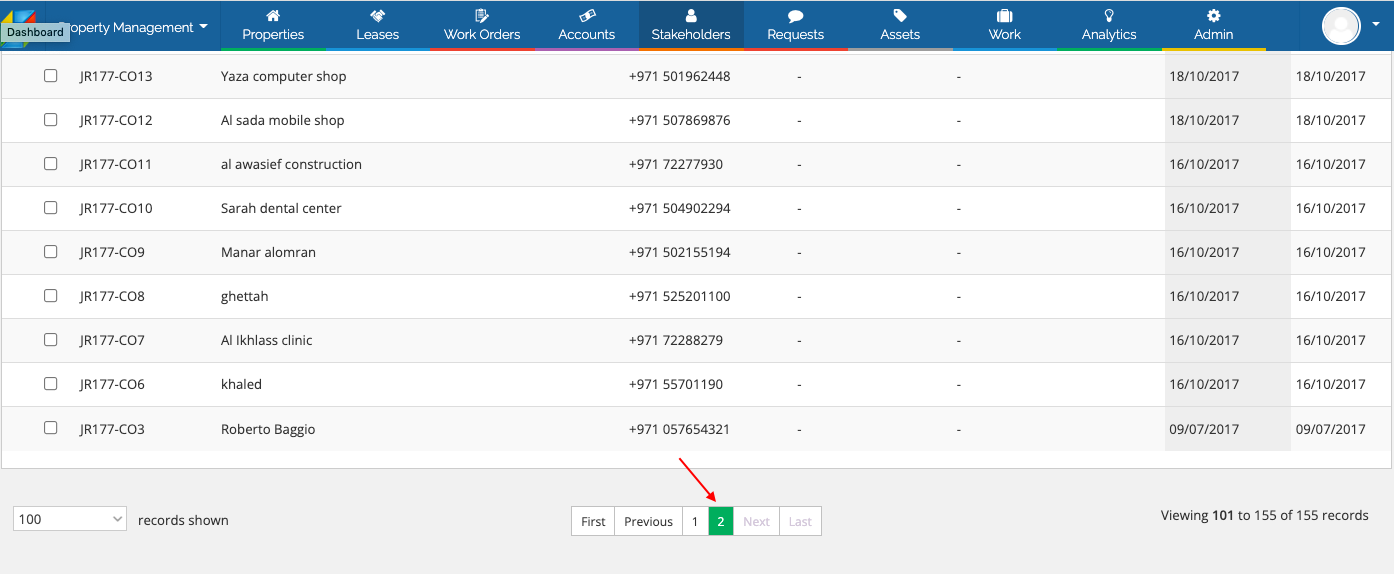
You may send emails to multiple tenants from the Stakeholders section by following the below steps:
a. Navigate to Stakeholders -> Tenants screen.
b. Choose the Records shown as 100

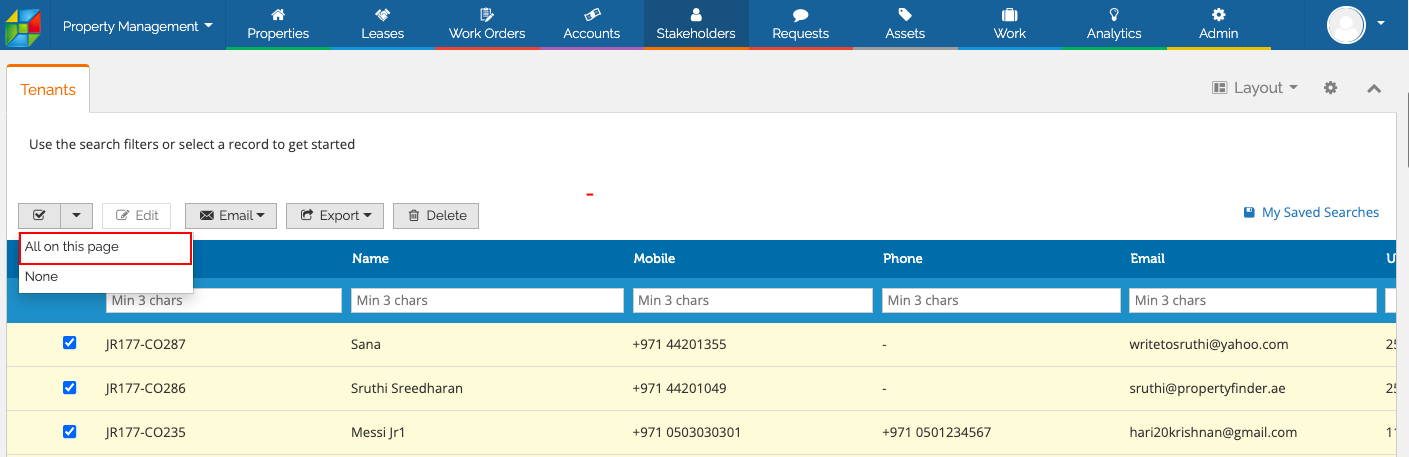
c. Select all the records on the page by choosing the option All on this page.
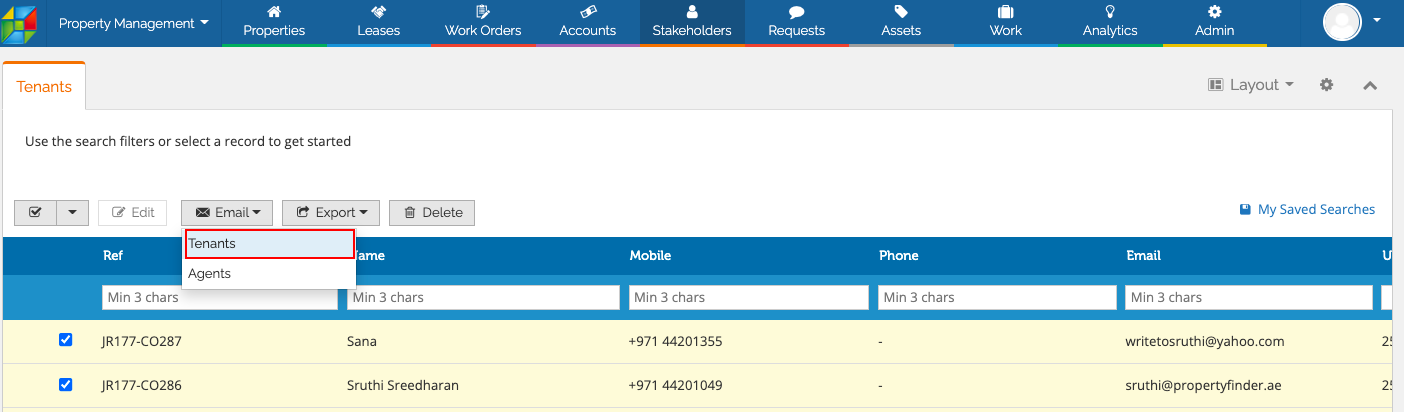
c. Click on the email option and choose Tenants.
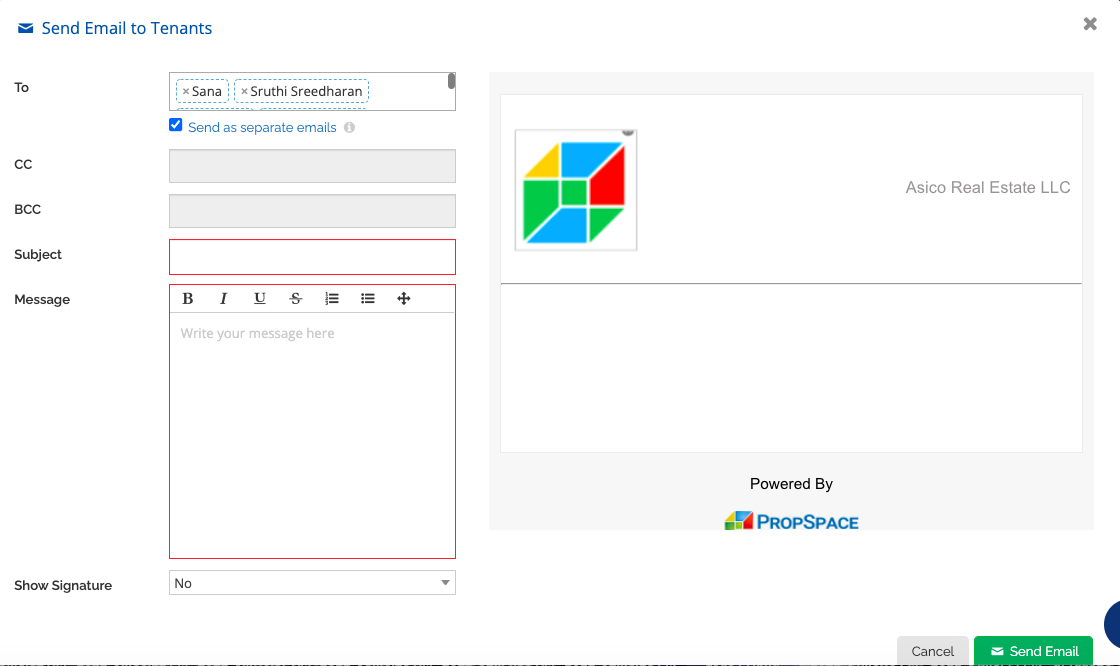
e. Email ID of all the selected records on the page will be added. You can check the option “Send as separate emails” so that a separate email will be sent with each email address individually. If you uncheck this option, a single e-mail will be sent to all recipients and the recipient list will be visible to everyone.
You can enter the Message of your choice and click on Send Email.
Note: Please choose page 2 and repeat the steps again if you have more records.